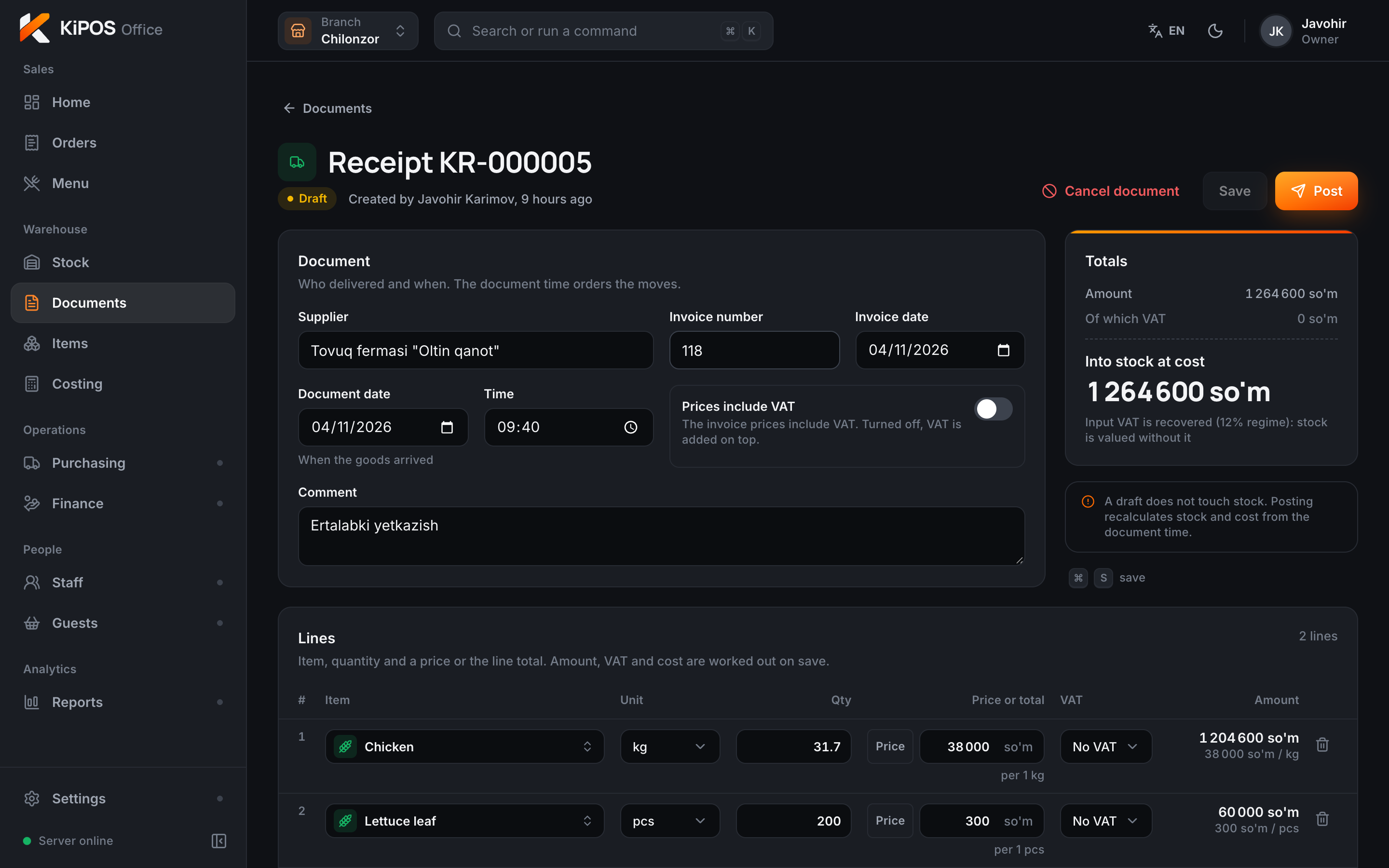
The delivery arrives
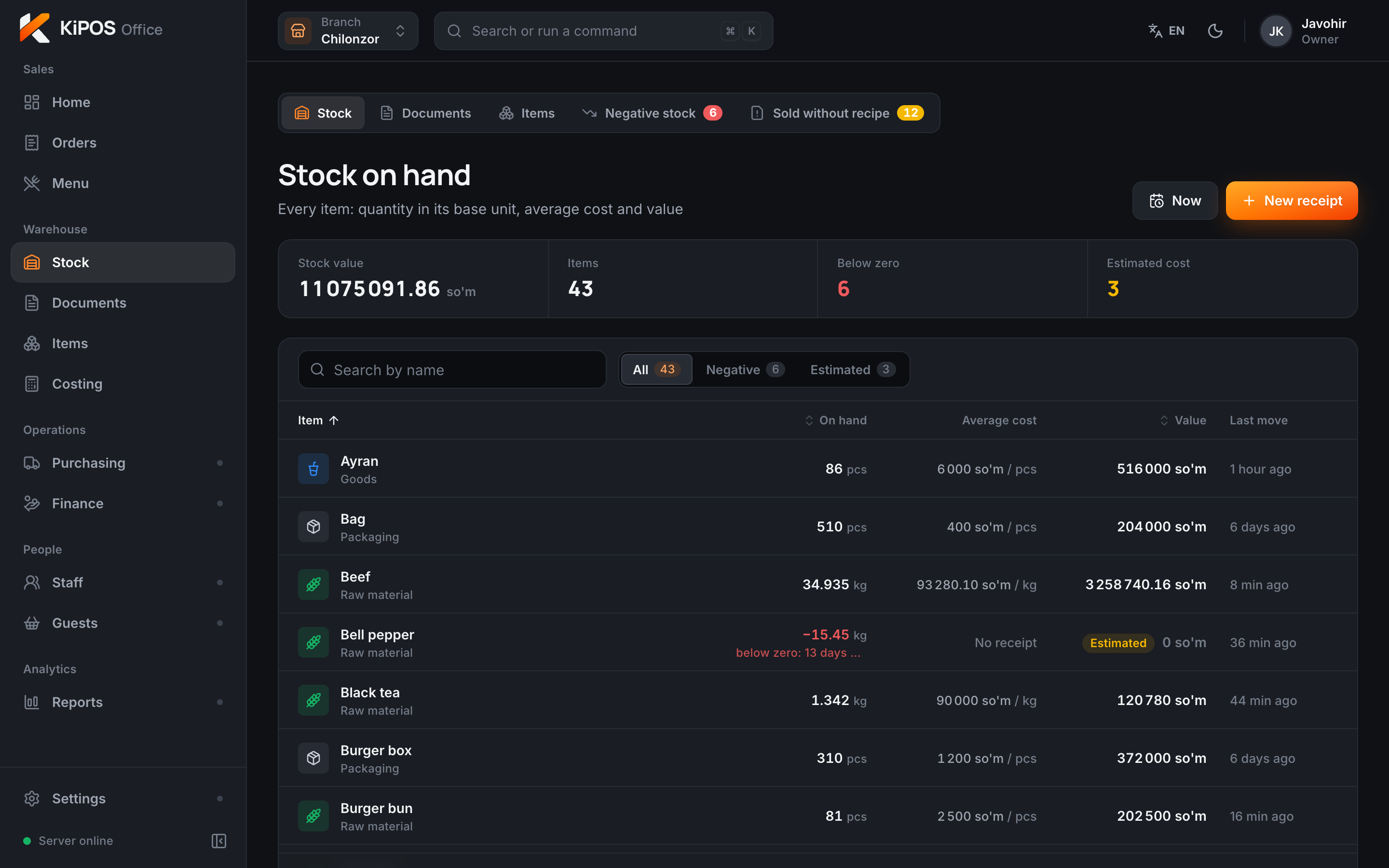
Enter the invoice and stock and average cost update on their own. If the document goes in late, past sales are recalculated too.
Ready
KiPOS is the till, stock and food cost system for restaurants and cafés. Its main server sits inside your venue, so sales don’t depend on the internet.
Try it: add a dish, take payment, then cut the internet.
Order
Receipts127
Food cost28,6%
Fiscal queue0
After payment, ingredients leave stock here
From the morning delivery to the next morning’s report. Screens from KiPOS, sample numbers.
Enter the invoice and stock and average cost update on their own. If the document goes in late, past sales are recalculated too.
Ready
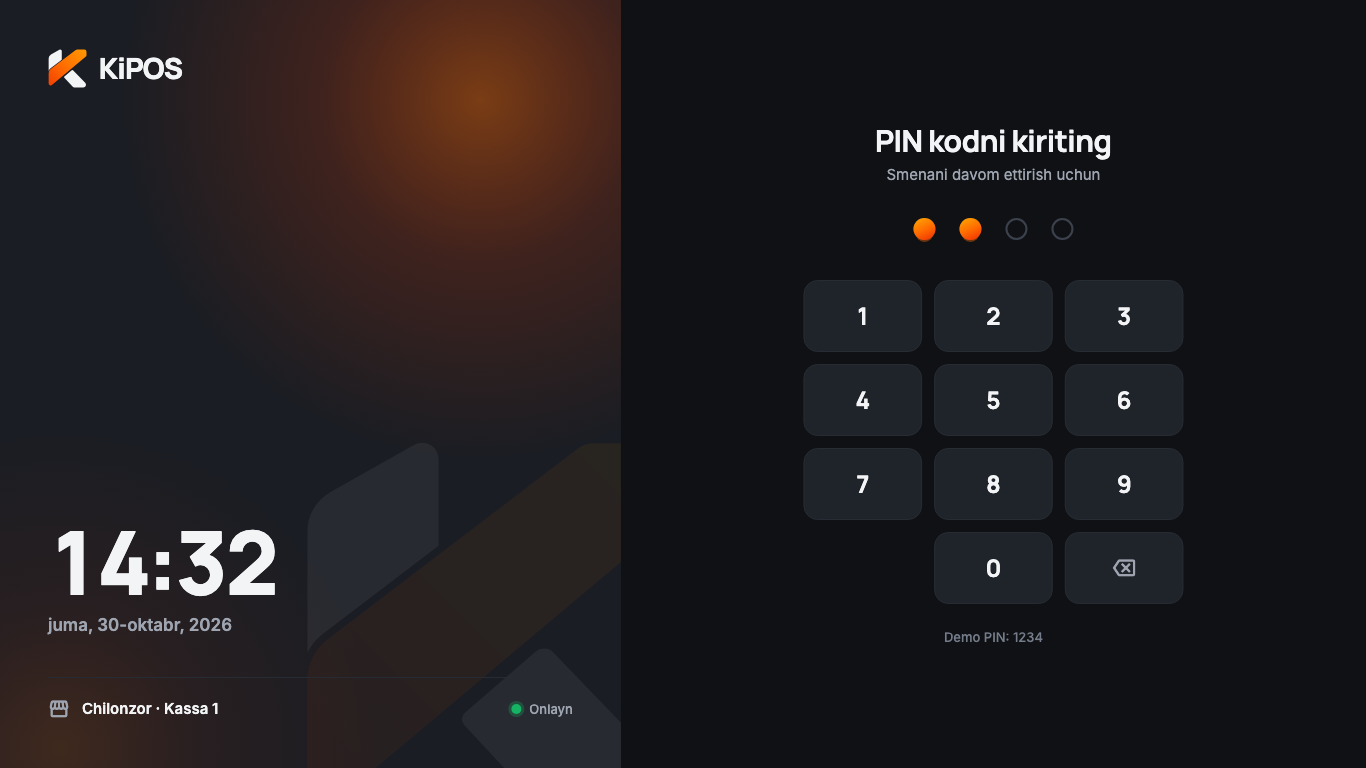
The cashier signs in with a PIN and opens the shift. Who worked and when is on record.
Ready
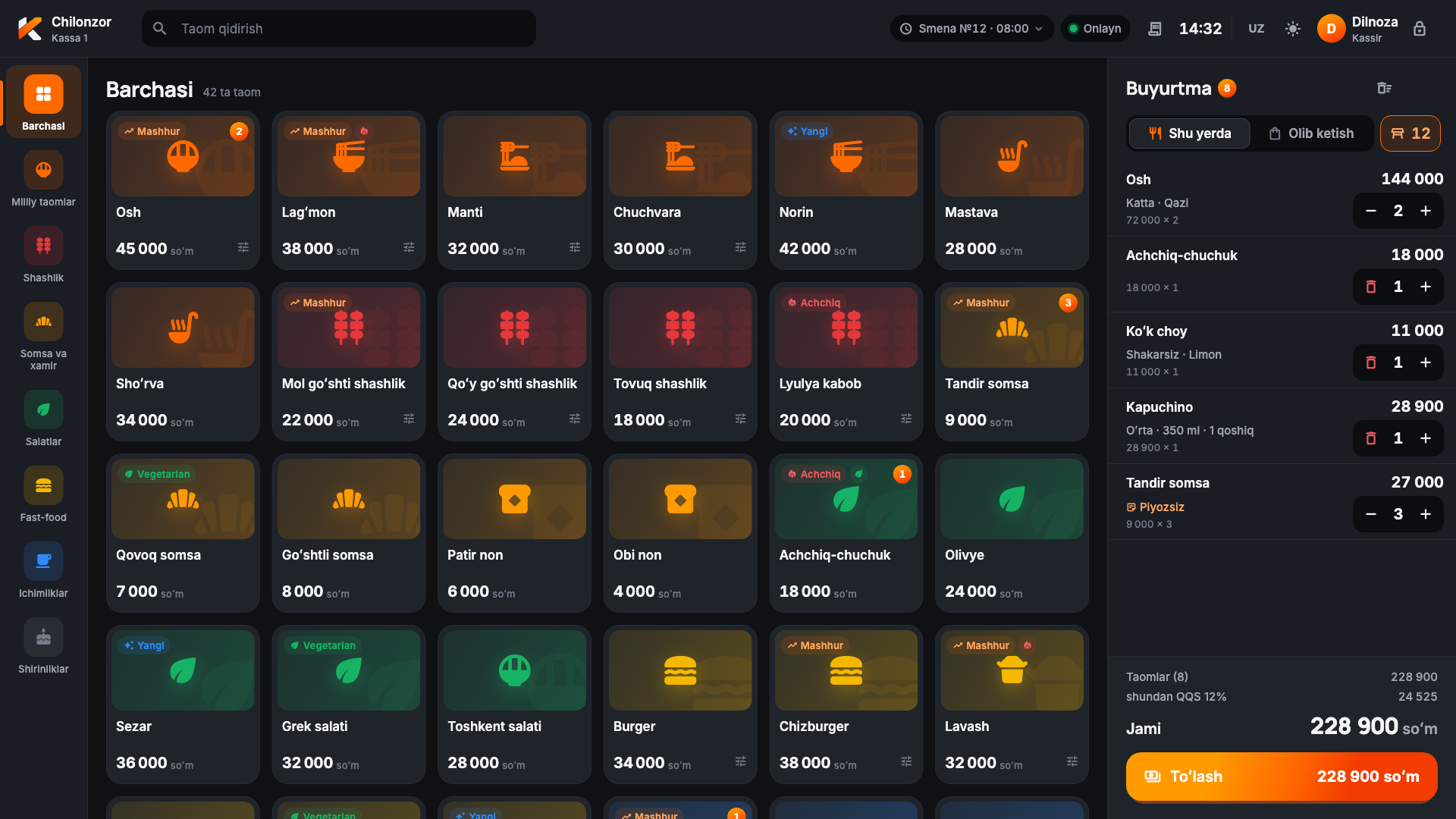
One tap adds a dish. Large portion, no onion, extra sauce: modifiers are right there. Cash, card or a mix of both.
Ready
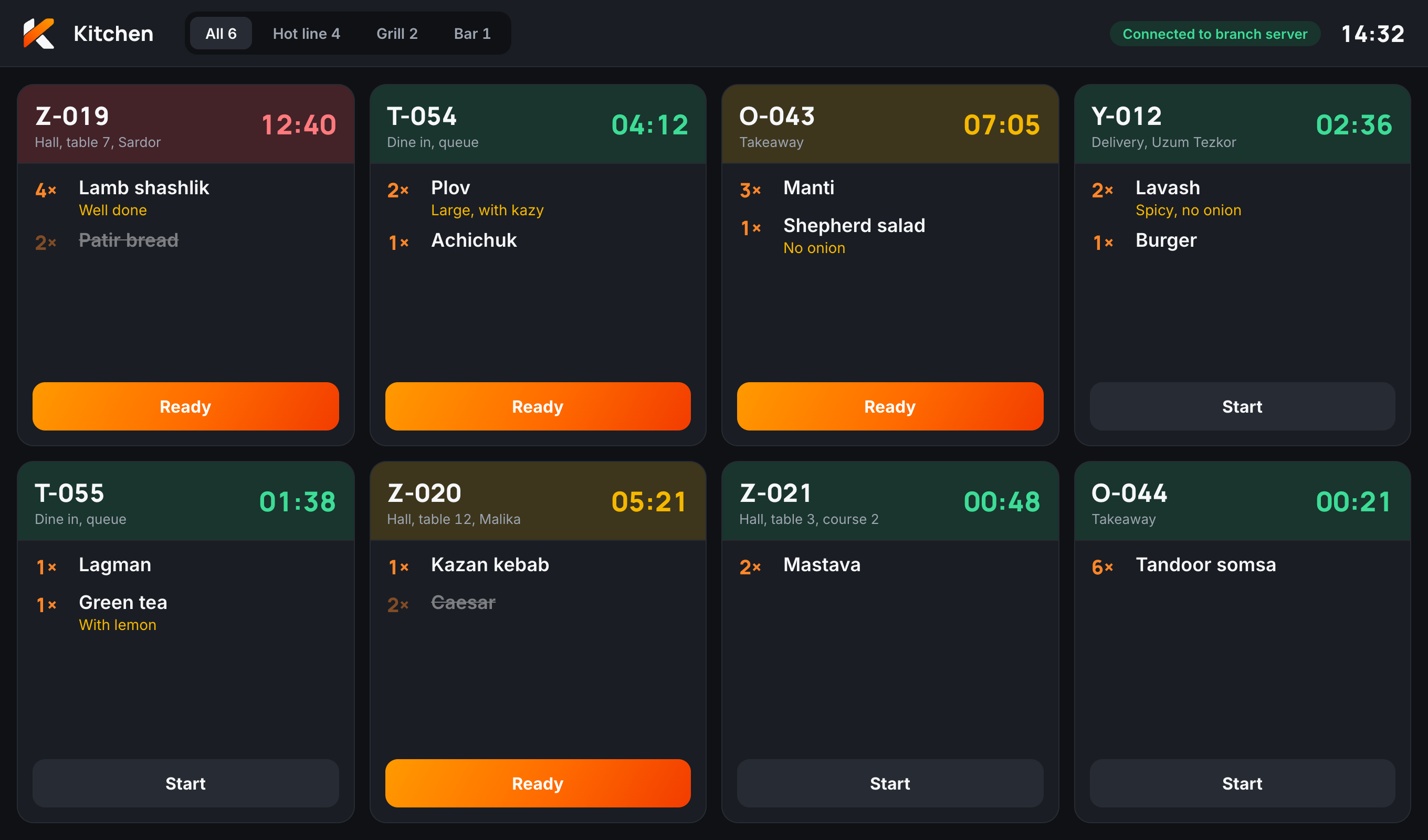
The order lands on a screen or a ticket printer. Each dish goes to its station, and a timer shows what’s running late.
Before the pilot, design concept
One plov sold: 100 g rice, 75 g beef, 100 g carrot. Nobody typed anything. If an item goes negative, you see it the same day.
Ready
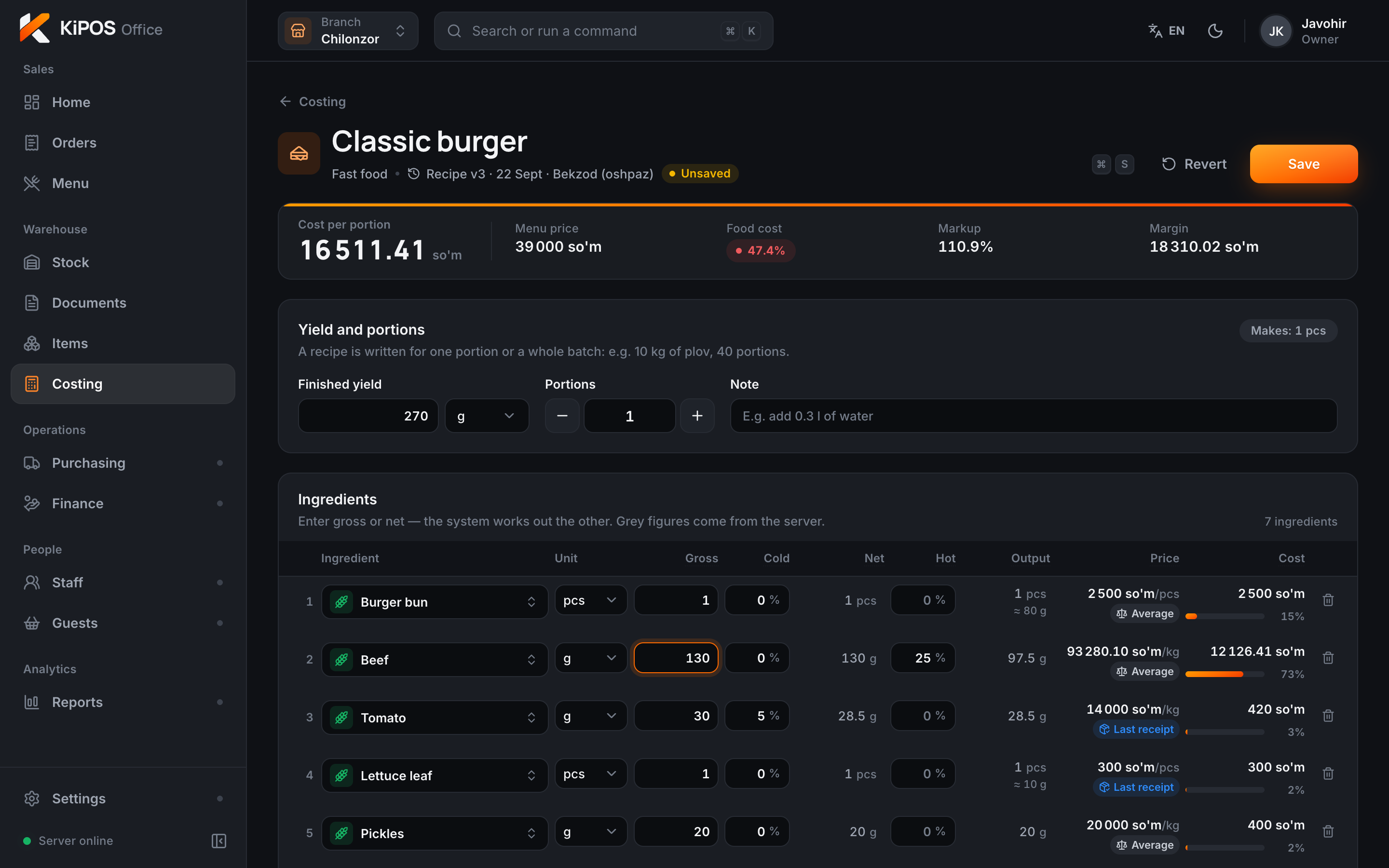
Raise the meat from 110 g to 130 g and the cost goes from 14,646 to 16,511 so‘m, food cost from 42.1% to 47.4%. You see it before you save.
Ready
Who, when and why: it’s all in a log nobody can edit. The alert comes to your phone.
Next release, design concept
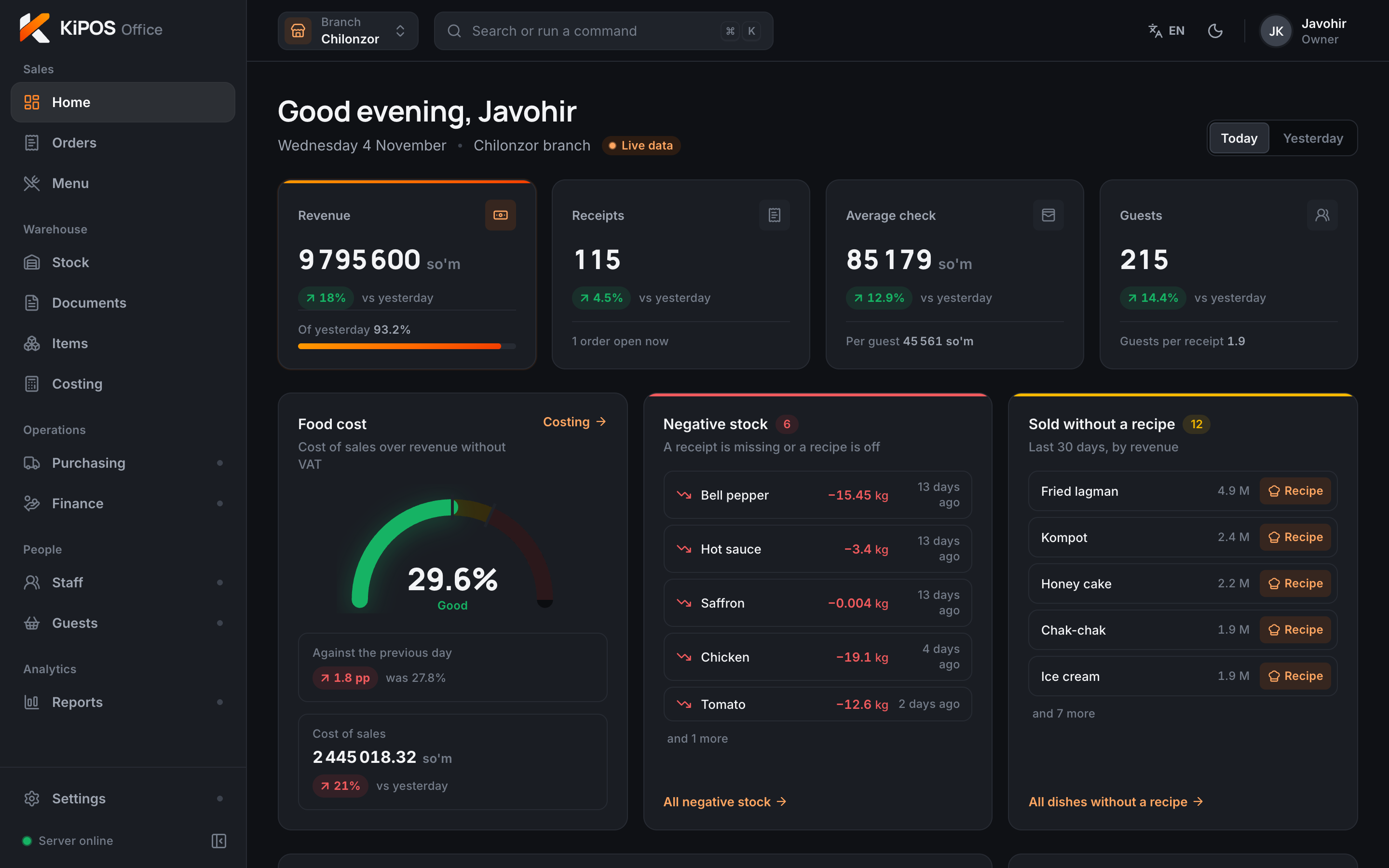
Revenue, average check, food cost, negative stock: the whole day on one screen, in any browser.
Ready
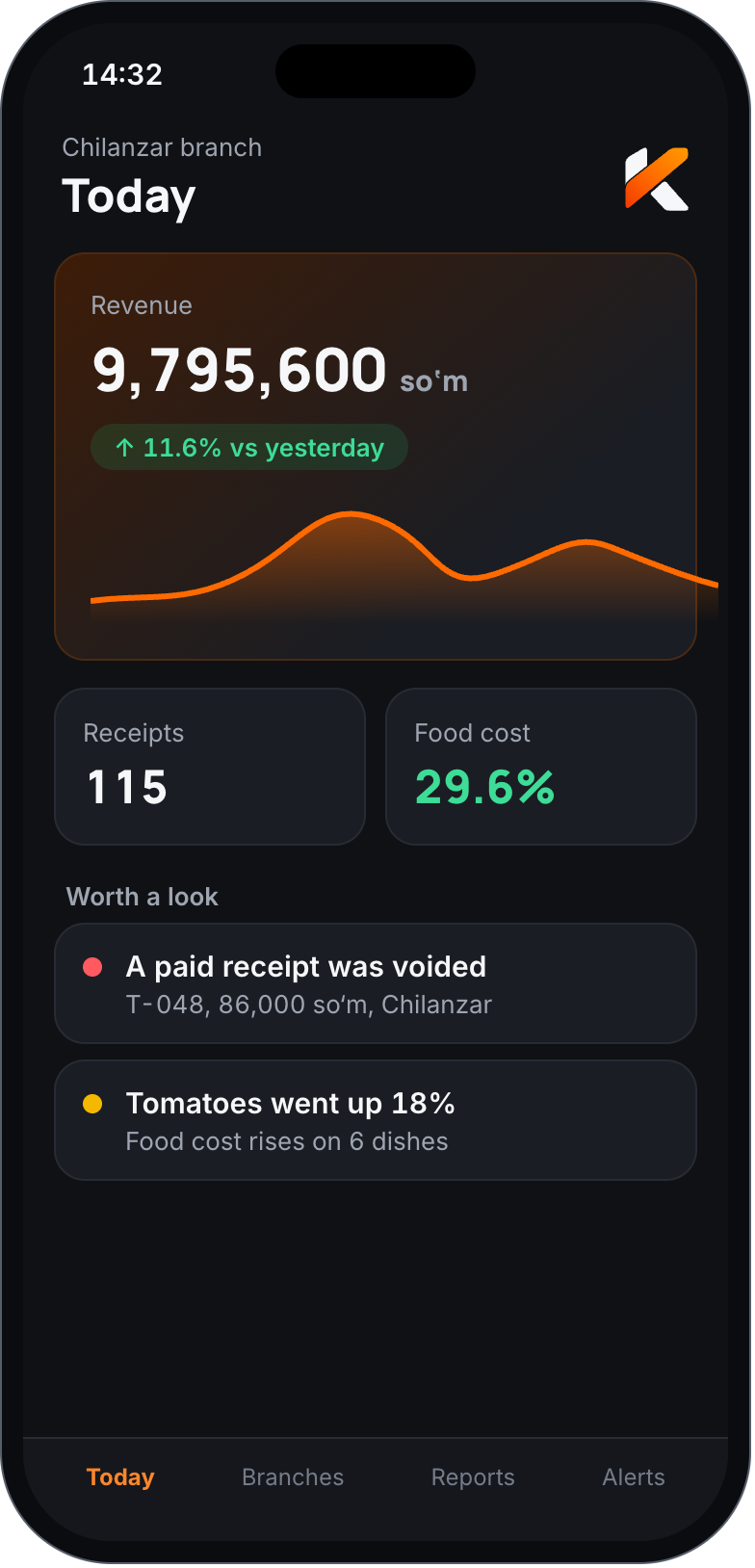
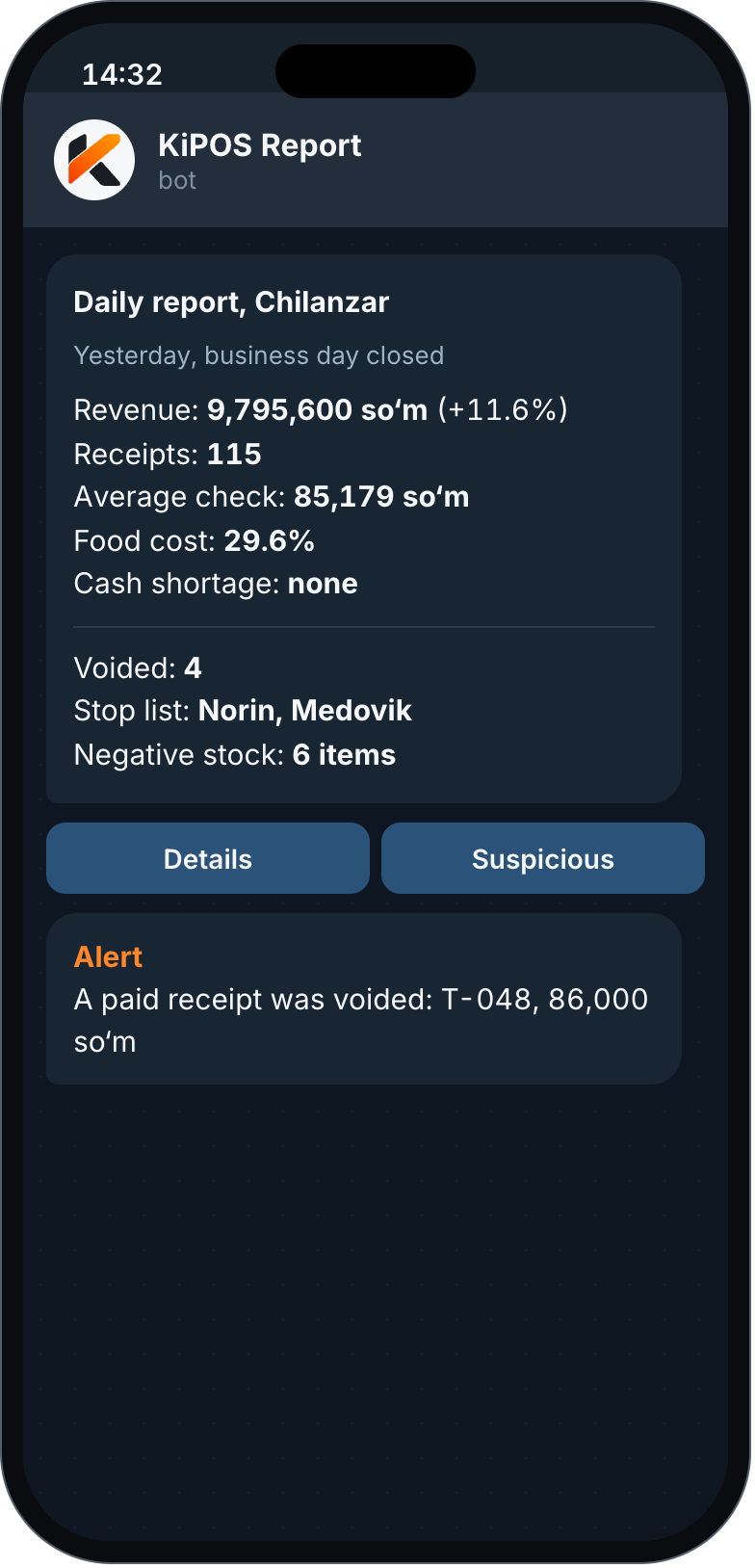
What happened yesterday and what needs a look. You’ll know before the tea cools.
Before the pilot, design concept
The business changes. The software stays.
Ready
Next release
Next release
Later
KiPOS is at the pilot stage, so we’ll be exact about it.
Monthly or yearly. The price depends on branches, tills and modules. Updates are automatic. Even if a payment is late, the till keeps working.
Pay once, and the licence never expires. Everything stays on your server. Updates and support are optional.
We agree the exact price before the pilot. 14-day free trial, no card needed.
The till, cash and card payment, the kitchen, the printer and stock all run on the server inside your venue. Fiscal receipts wait in a queue and go out when the internet returns. Payme and Click QR, aggregator orders and SMS stop until it does.
Fiscal receipts and product codes are connected before the first pilot. In the current demo, receipts are not fiscalised.
A Windows computer or all-in-one (4 cores, 8 GB RAM, SSD) or an Android POS. In a small café, the server and till run on one computer.
Importing menus, recipes and stock from Excel and other systems is planned. On the pilot, we move your data together.
Sales data sits on the server in your venue. With a one-time licence everything stays with you; with a subscription a copy is also kept in the cloud.
The price depends on branches, tills and modules. We agree an exact offer for the pilot.
Right now we’re talking to fast-food places and coffee shops about the pilot. Restaurant mode comes in the next release, and we’ll take your requirements now.
Run a fast-food place or a coffee shop? Leave a request: we’ll show you a demo and set it up around your venue. Restaurant or wedding hall? Write anyway, your requirements go into the next release.
Or reach us directly: